AI automation checklist: what to automate first
A plain AI automation checklist for busy owners: five tests and eight questions to choose what to automate first, and what to leave for later.
Innovision Code Team 8 min read
Many owners start automation in the wrong place. They pick a task because it sounds clever, not because it is a good first task, and then they give up when it does not help. A simple AI automation checklist fixes that. It helps you decide what to automate first, what to leave for later and how to tell whether it is working.
This guide gives you five tests, a checklist you can use today and a list of tasks that usually pass. It is written for busy owners and managers, not for technical people.
In this guide
- Why you need an AI automation checklist
- Five tests for a good first task
- The checklist: eight questions
- Tasks that usually pass
- Tasks to leave for later
- Get ready before you automate
- How to tell it is working
- Where to go next
Why you need an AI automation checklist
Every business has dozens of tasks that could be automated, and almost all of them look tempting. Without a way to choose, owners often start with the most exciting idea or the most complicated one. The result is a project that takes too long, is hard to check and never quite earns its place.
An AI automation checklist gives you a fair way to choose. It asks a few plain questions about each task, so the best first candidate stands out. A good first task is small, clear and useful every week. It teaches you how automation feels, and it builds the trust you need before you try something bigger.
If you would like the wider picture first, our guide to AI automation for small business in Canada explains what it is and why it matters.
Five tests for a good first task
Before you use the full AI automation checklist, run each idea through these five tests. A task that passes all five is usually a strong first choice.
1. It repeats
A task that happens every day or every week pays back quickly. A task that happens once a year rarely does.
2. It follows clear steps
If you can write the steps on a page, a tool can follow them. If every case needs a different judgment, keep it with a person.
3. A mistake is easy to spot and fix
Start where a small error costs little and can be corrected at once. A late reminder is easy to fix. A wrong price quoted to a customer is not.
4. A person can check it
You, or someone you trust, should be able to read the result before it reaches a customer, at least at the start.
5. It gives back time you can name
You should be able to say who saves time and on what: for example, the person at the front desk no longer retypes every enquiry. If you cannot name the benefit, choose a different task.
The AI automation checklist: eight questions
Use these eight questions for each task you are considering. Answer yes or no. The more yes answers, the better the first task.
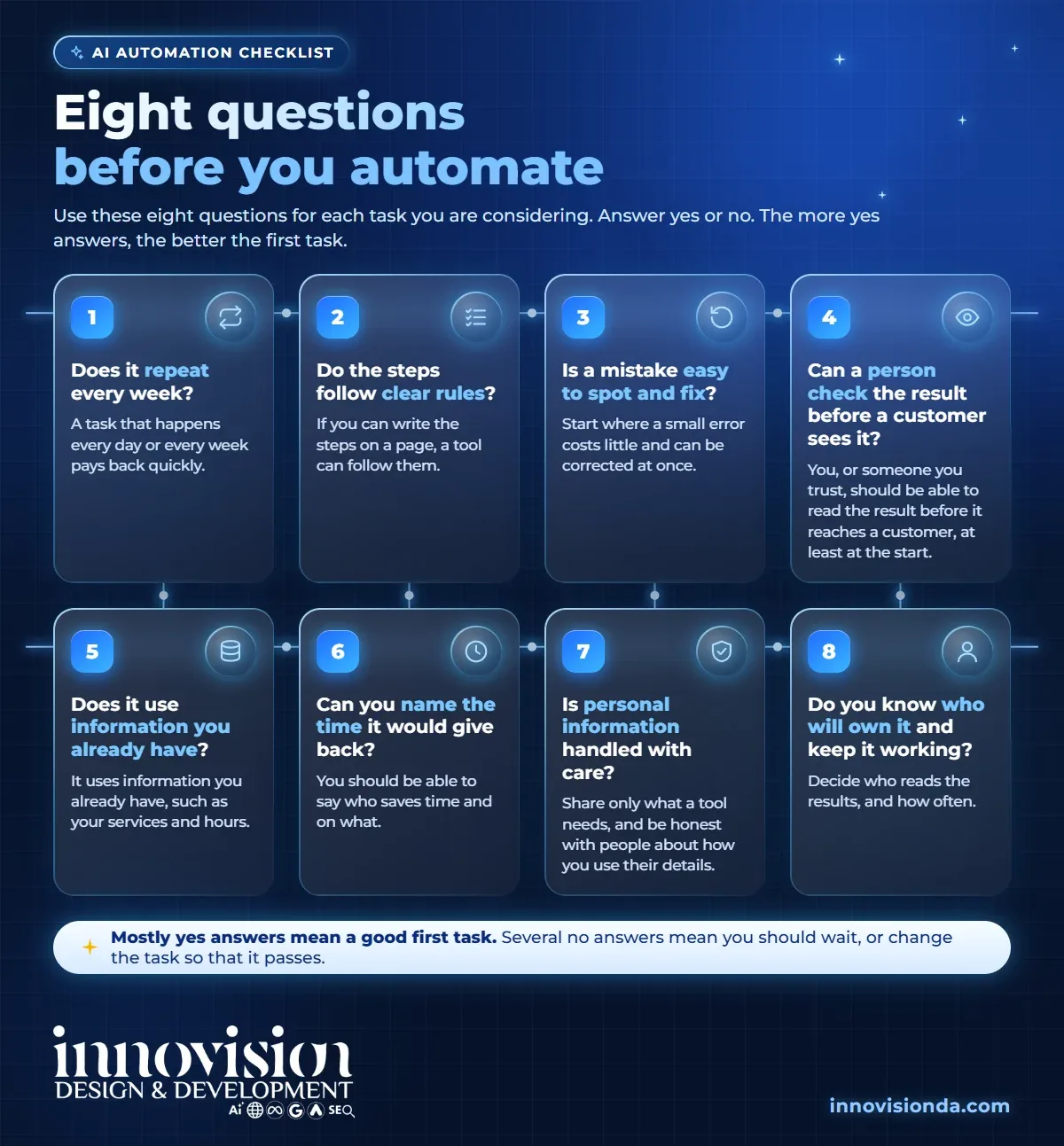
- Does it repeat every week?
- Do the steps follow clear rules?
- Is a mistake easy to spot and fix?
- Can a person check the result before a customer sees it?
- Does it use information you already have?
- Can you name the time it would give back?
- Is personal information handled with care?
- Do you know who will own it and keep it working?
Mostly yes answers mean a good first task. Several no answers mean you should wait, or change the task so that it passes. This AI automation checklist is not a score to chase. It is a way to slow down for a minute and choose well.
A worked example. Take the first reply to new enquiries. It repeats every week, so that is a yes. The steps are clear: greet the person, thank them, ask one or two questions and say when you will be in touch, so that is a yes. A mistake is easy to spot, because you can read every reply, and a person can check it before it goes out. It uses information you already have, such as your services and hours. You can name the benefit: nobody waits for an answer. Personal information is limited to a name and a message, and you know who owns it. Run through the AI automation checklist like this, and the answer is clear: a strong first task.
Tasks that usually pass
These tasks tend to pass most of the questions, which is why they appear on so many first lists:
- A first reply to every enquiry. It repeats, follows clear steps and is easy to review.
- Booking confirmations and reminders. They reduce missed appointments and back and forth messages.
- Quote and lead follow ups. A polite nudge after a few days helps good leads that went quiet.
- Review requests. A thank you with a link, sent after each job, builds your reputation.
- Moving details between tools. Entering the same information in a website, an inbox and a spreadsheet is slow and easy to get wrong.
- A weekly summary. A short list of new enquiries and what is waiting turns a pile of messages into actions.
- First drafts. A draft of a reply, a post or a report that a person edits.
Many of these work best when your contacts and conversations live in one place. That is the idea behind an AI CRM, which keeps every lead and next step together so follow ups reach the right person. For examples in two trades, see our guides to AI for dental clinics in Ontario and AI automation for HVAC and home service businesses.
Tasks to leave for later
Some tasks fail the checklist, and that is a useful answer. Leave these for later, or keep them with a person:
- Anything that needs judgment. Pricing decisions, advice and exceptions.
- Money and legal matters. Contracts, refunds and anything with a legal meaning.
- Complaints and sensitive conversations. People want to speak to a person.
- Anything you cannot check. If you cannot tell whether the result is right, do not automate it yet.
Get ready before you automate
Preparation is part of any good AI automation checklist, because a little work in advance makes any task easier to automate:
- Write your usual answers. Gather the replies you give again and again, in your own words.
- Put your contacts in one place. One list is easier to automate than three.
- Choose who checks. Decide who reads the results, and how often.
- Handle personal information with care. Share only what a tool needs, and be honest with people about how you use their details. The Office of the Privacy Commissioner of Canada explains the main privacy rules for businesses. This is general information, so please ask a professional about your own situation.
How to tell it is working
Do not wait for a big report. After a few weeks, look at simple signs: Are enquiries answered faster? Are fewer follow ups forgotten? Does the person who used to do the task feel the difference? If the answers are yes, the task earned its place and you can use the same AI automation checklist again for the next one. If not, adjust the task or try a different one. A small, honest result is better than an impressive one that nobody uses.
Where to go next
Pick one task, run it through the eight questions and write down the answer. For an overview of what we do, see our page on AI automation. If you would like a second pair of eyes on your list, ask for a free AI audit. We will look at how you work today and show you where you could save time, with no pressure. Bring your list of tasks, and we will go through it together in plain language.
Frequently asked questions
What is an AI automation checklist?
It is a short list of questions that helps you choose which task to automate first. It asks whether a task repeats, follows clear steps, can be checked and gives back time you can name.
What should a small business automate first?
Most owners start with the first reply to enquiries, because it repeats, follows clear steps and is easy to review. Booking reminders, follow ups and review requests are also common first choices.
Which tasks should I not automate?
Leave decisions that need judgment, money and legal matters, complaints and anything you cannot check to a person, at least at the start.
How many questions should a task pass?
There is no magic number. Mostly yes answers to the eight questions mean a good first task. Several no answers mean you should wait or change the task.
Do I need special software before I start?
Not always. Many first tasks use the tools you already have. It helps to keep your contacts in one place and to write your usual answers down.
How do I know the automation is working?
Look for simple signs: faster replies, fewer forgotten follow ups and less repeat work for the people who did the task before.