ai-for-dental-clinics-ontario
AI for dental clinics can answer common questions, take booking requests and follow up with patients, while care stays human. A practical guide for Ontario clinics.
Innovision Code Team 9 min read
A new patient looks for a dentist on their phone, often in the evening. They want to know whether you are accepting new patients, where you are, what your hours are and how to book. If they cannot find an answer quickly, they move to the next clinic. This guide explains AI for dental clinics: how it can answer common questions, take booking requests and follow up with patients, so your front desk has more time for the people in the chair.
We also explain the limits, because care, clinical advice and patient trust must always stay with your professionals. Used carefully, AI automation takes repeat work off your team and leaves the human parts of care exactly where they belong.
In this guide
- Five moments where AI for dental clinics helps
- What AI should not do in a dental clinic
- Privacy comes first
- What a good patient experience looks like
- Connecting the pieces
- Helping new patients find you
- How to start in three steps
- Mistakes to avoid
- Where to go next
Five moments where AI for dental clinics helps
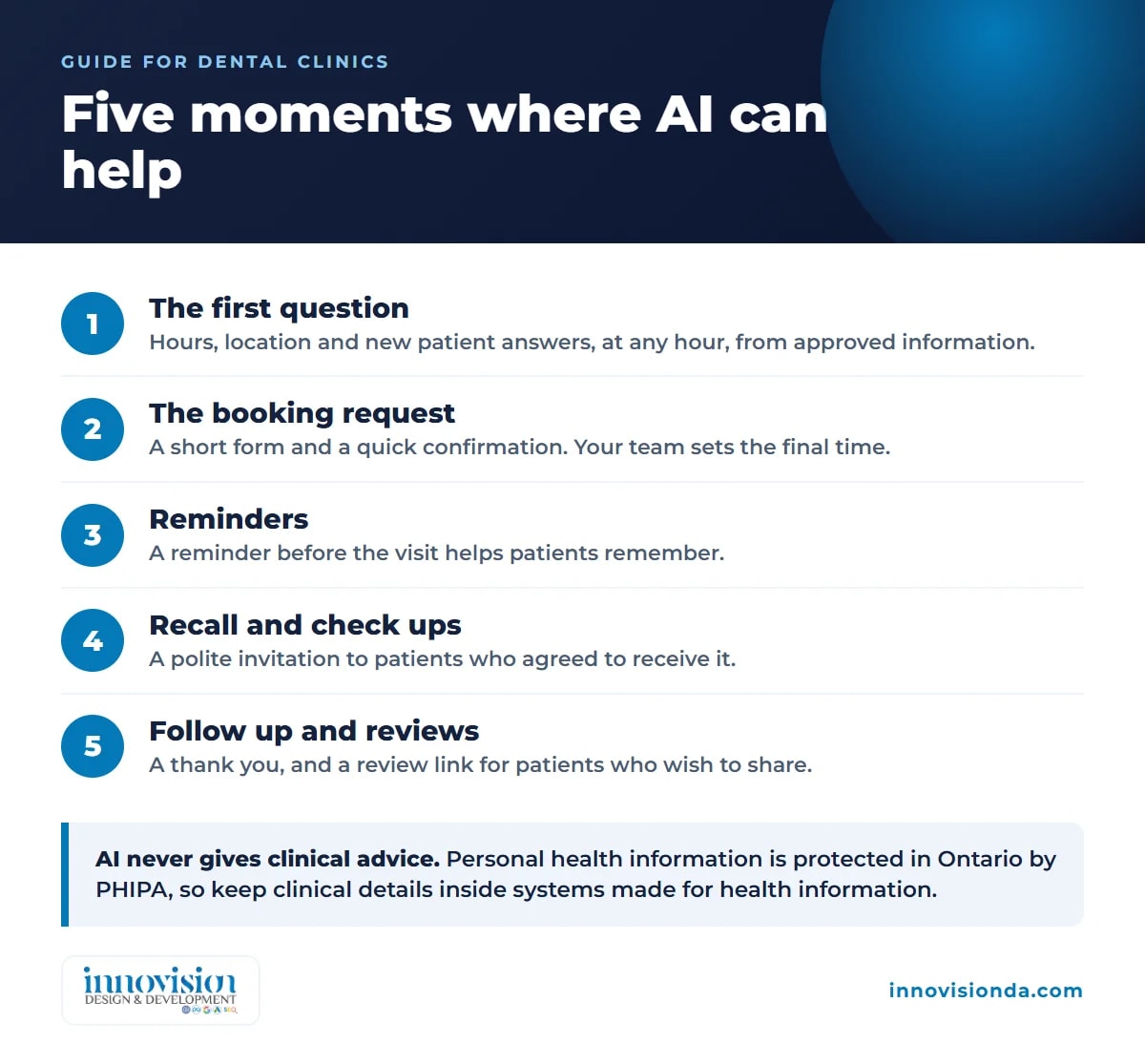
A patient relationship has natural moments, and each one has repeat work in it. These are the five where AI for dental clinics tends to help most.
1. The first question
Most first questions are practical. Are you taking new patients? Do you treat children? Where do I park? Which insurance do you work with? An automatic assistant on your website can answer these from information you approve, at any hour. It does not give clinical advice. When a question is outside its limits, it shows your phone number and passes the message to your team.
2. The booking request
Many patients would rather send a request than wait on hold. A short form asks for the name, a preferred time, the reason for the visit in plain words, and how the patient wants to be contacted. Your team receives a tidy request and confirms the time. Patients feel looked after, and your front desk stops typing the same details again and again.
3. Confirmation and reminders
Once an appointment is agreed, an automatic confirmation and a reminder before the visit help patients remember. If they need to move the time, they can reply, and the change reaches your team to handle. This is one of the simplest ways to use AI for dental clinics, because the message is short, the purpose is clear and a person stays in charge of the schedule.
4. Recall and check up reminders
People forget that a regular check up is due. A polite and timely reminder, sent to patients who have agreed to receive it, invites them to book. This keeps your schedule healthy and helps patients keep up with their own care.
5. Follow up and reviews
After a visit, a short message can thank the patient and ask whether they have questions. For patients who are happy to share it, a link to leave a review helps future patients find you. You ask every patient in the same kind way, instead of only the ones who come to mind.
What AI should not do in a dental clinic
It is as important to know the limits as the uses. Keep these with your professionals:
- Clinical advice, diagnosis and treatment decisions.
- Judging whether a symptom is an emergency.
- Discussing the health details of a specific patient in an open chat.
- Replacing the warm conversation when a patient is anxious or has a complaint.
Good AI for dental clinics says clearly that it is automatic, shows the clinic phone number for urgent problems, and hands anything sensitive to a person. Patients accept automation when it is honest and when it helps them reach your team more easily, not less.
Privacy comes first
Dental clinics in Ontario handle personal health information. An Ontario law, the Personal Health Information Protection Act, 2004, known as PHIPA, sets rules for how this kind of information is collected, used and shared. Before any tool touches patient information, find out where the data is stored, who can see it and what the tool provider does with it. Then ask a privacy professional, or your own regulatory college, what applies to your clinic.
A simple habit helps with any AI for dental clinics: keep the automatic assistant to general questions and booking details, and keep clinical information inside the systems and conversations that are made for it.
Messages that promote a business are also covered by the Canadian anti spam law, known as CASL, which deals with things such as consent, sender details and a way to stop receiving messages. Ask a professional how it applies to your reminders and recall messages before you send them.
What a good patient experience looks like
Imagine a new patient who finds your website on a Sunday evening. The page loads quickly on their phone. They read that you are accepting new patients, see your address and hours, and send a booking request in a few moments. They receive a friendly confirmation straight away, and a reminder before the visit. After the appointment they get a short thank you. At no point did they feel processed, because every message sounded like your clinic, and a real person was always one phone call away.
That is the standard to aim for with AI for dental clinics: faster and easier for the patient, lighter for the team, and warm from start to finish.
Connecting the pieces
The best results come when your website, your booking requests and your patient list share information. A new request appears in one place, receives a reply, and moves through simple stages. A custom CRM built around how your clinic works can keep these stages tidy, so nothing is lost between the front desk, the hygienists and the dentists.
Your website is the front door. If it is slow, hard to use on a phone, or unclear about who you are, many patients never reach the booking step. Our website design and development work focuses on clear pages, fast loading and an easy way to request an appointment.
Helping new patients find you
Patients also find clinics through Google and, more and more, by asking AI assistants for a recommendation. Clear information about your services, your location and your hours helps both. Our AI SEO and SEO service shows what we can do for a local clinic, and it works well beside AI for dental clinics, because the same clear information serves search and automation.
How to start in three steps
- List the questions your front desk answers every week. These become the first approved answers for your assistant.
- Choose one task to begin with. For many clinics this is the booking request form with an automatic confirmation.
- Test it as a patient. Ask real questions, read every reply, and ask your team what feels wrong. Improve the wording, then add the next task.
At Innovision Design & Development we begin with a free growth plan. We listen to how your clinic runs today, choose what to automate first, build and connect it, and keep improving it with you. You review what the automation does, and we host, monitor and update it so it keeps working. This is how we approach AI for dental clinics: one useful task at a time.
Mistakes to avoid
- Letting the assistant answer clinical questions. Keep its answers to practical information you have approved.
- Choosing a tool before understanding privacy. Ask where patient data lives before you sign up.
- Sending reminders to people who did not agree. Ask first, and make it easy to stop.
- Forgetting the human touch. Write messages the way your team speaks, and always give a phone number.
- Doing everything at once. Begin with one task that works well.
Where to go next
For a wider view of AI in a small business, read our practical guide to AI automation for small business in Canada. When you are ready to explore AI for dental clinics in your own practice, request your free growth plan. Tell us how your clinic works, and we will suggest the first steps that could give your team time back for the people in the chair.
Frequently asked questions
Can a dental clinic use AI to answer patient questions?
Yes, for practical questions such as hours, location, new patient availability and how to book. The assistant should only use information the clinic has approved, should not give clinical advice, and should pass anything sensitive or urgent to a person.
Will AI replace my front desk team?
No. The aim is to take repeat tasks away so your team has more time for patients in the clinic and for conversations that need empathy. Your staff stays in charge of every decision that matters.
Can AI handle appointment booking?
It can take booking requests and send confirmations and reminders. Your team confirms the final time. This saves typing and reduces back and forth, while a person keeps control of the schedule.
Is it safe to use these tools with patient information in Ontario?
PHIPA is the Ontario law that sets rules for personal health information. Check where a tool stores data, who can see it and what the provider does with it, and keep clinical details inside systems made for health information. Ask a privacy professional or your regulatory college what applies to your clinic.
Do reminder messages need consent?
Canada has an anti spam law, CASL, that covers commercial electronic messages, including things such as consent, sender details and a way to unsubscribe. How it applies to your clinic depends on the message, so ask a professional. As a good habit, send reminders only to patients who agreed to them.
How do we begin?
Request a free growth plan. We listen to how your clinic works, suggest the first task to automate, and build and test it with you.