AI Automation for HVAC and Home Service Businesses in Ontario
AI automation for HVAC and home service businesses, explained simply: seven practical tasks Ontario owners can automate first, and what to keep in human hands.
Innovision Code Team 10 min read
This guide to AI automation for HVAC and home service businesses starts with a familiar scene. The phone rings while your technician is lying on a roof. A homeowner fills in a quote form at ten at night. A customer who asked for a price last week still has not heard back. None of this means your business is badly run. It means you are busy doing the actual work, which is exactly what a good home service company should be doing.
The trouble is that these small gaps add up. A person who needs a furnace repaired or an air conditioner fixed usually contacts more than one company, and the business that answers first and clearly often gets the next conversation. This guide explains how AI automation for HVAC and other trades can close those gaps for HVAC, plumbing, roofing, electrical and other home service businesses in Ontario, without turning your company into something cold or robotic.
Table of contents
What AI automation for HVAC means for a home service business
AI automation means using software, with some AI inside it, to handle work that repeats in a clear way. In a home service business that usually means three things: answering enquiries quickly, collecting the right details, and following up so nothing is forgotten. A person still makes the decisions that matter, such as what a job should cost, whether a situation is an emergency, and what is safe.
Think of AI automation for HVAC as a very organized office assistant who never goes home, never forgets a follow up, and always asks the same helpful questions. It does not diagnose a furnace. It makes sure your team receives the right information, and that the customer knows someone has seen their request. Using AI for HVAC business tasks like these does not replace your team. It gives them back time for the work only they can do.
Why seasons make this matter more
Heating and cooling work arrives in waves. The first very cold week and the first heat wave can bring more requests than a small team can answer by hand. Plumbers, roofers and electricians see their own peaks after storms and before holidays. When everyone is busy, the slowest part of the business is often the office, not the trucks. AI automation for HVAC helps most at exactly those busy moments, because it handles the first reply and the paperwork while your people handle the jobs.
Seven tasks to automate first with AI automation for HVAC and home services
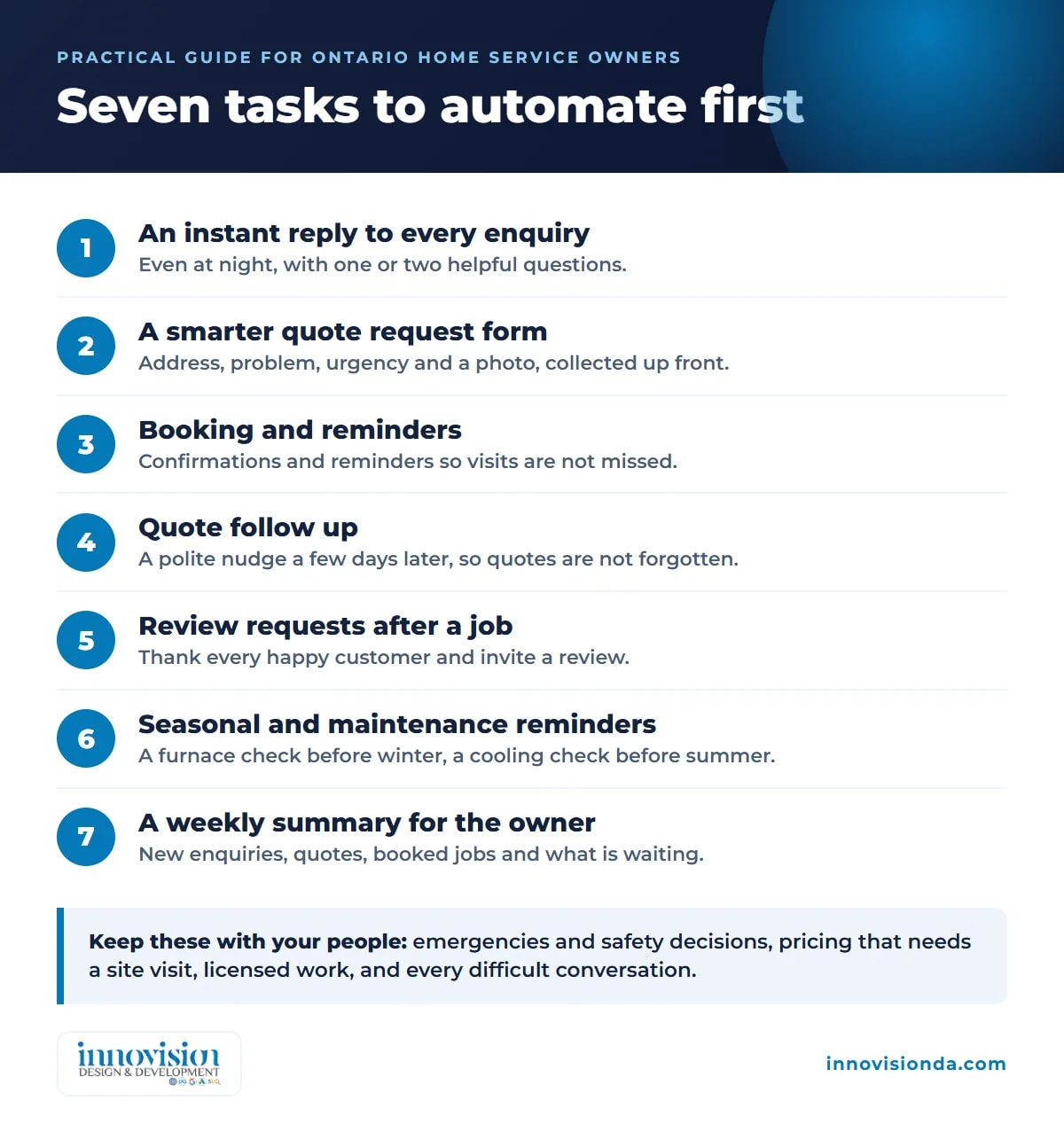
You do not need to automate everything on day one. Good AI automation for HVAC starts small. Start with the tasks that cost you the most time or the most missed work. Here are seven that fit most Ontario home service businesses.
1. An instant reply to every new enquiry
When someone sends a message through your website or a form, they receive a friendly reply within moments, even at night. The reply confirms the request, says when a person will be in touch, and asks one or two useful questions. The customer feels heard, and you start the conversation ahead of a company that replies the next afternoon.
2. A smarter quote request form
A plain contact form leaves your team asking the same questions again and again. A better form collects the address, the type of system or problem, how urgent it feels, and a photo if the customer wants to add one. Your estimator opens the request and already knows what to prepare.
3. Booking and reminders
Once a visit is agreed, the customer receives a confirmation and a reminder before the appointment. If something changes, they can reply and the change reaches your team. Fewer missed appointments means fewer wasted trips.
4. Quote follow up
Many quotes are sent and then quietly forgotten. An automatic and polite follow up a few days later asks whether the customer has questions. If they reply, your team is notified. If they decline, the request is closed without any awkward chasing.
5. Review requests after a finished job
Reviews help new customers choose you. After a job is marked complete, a short message thanks the customer and invites a review, with a direct link. You ask every happy customer instead of only the ones you remember.
6. Seasonal and maintenance reminders
A furnace check before winter and an air conditioner check before summer are natural reasons to contact past customers. Automation can send a helpful reminder at the right time of year, which brings in planned work and spreads your calendar more evenly.
7. A simple weekly summary for the owner
You should not have to dig through messages to learn how the week went. A single summary can show new enquiries, quotes sent, jobs booked and requests still waiting, so you see where to put your attention.
What should stay in human hands
Good AI automation for HVAC knows its limits. Keep these with your people:
Deciding whether a situation is an emergency or a safety risk.
Pricing a job that needs a site visit.
Any work that must be done by a licensed technician.
Difficult conversations, complaints and anything that needs empathy.
A sensible setup tells customers clearly that they are talking to an automatic assistant, offers a phone number for urgent problems, and passes anything unusual to a person quickly. Customers do not mind automation when it is honest and when it helps them reach a human faster, not slower.
Connecting the pieces: website, inbox and CRM
The real value appears when your tools share information. A request comes in from your website, appears in one list, gets an automatic reply, and moves through simple stages such as new, quoted, booked and completed. This is what a CRM does, and a CRM built around how you actually work is far easier to use than a generic one. Your first goal is simple: enter each detail once, and let the system carry it from enquiry to follow up.
Your website matters here too. A fast, clear website with a good request form feeds the system with better information. If your site is slow or hard to use on a phone, many enquiries never begin. Our website design and development work focuses on exactly these basics.
Consent and privacy in Canada
Automatic messages must follow the rules. The Canadian anti spam law, known as CASL, sets requirements for commercial electronic messages, including consent, clear sender details and a working way to unsubscribe. Messages about a job a customer has asked for are treated differently from promotions, and the details matter. Build your automation with consent and unsubscribe in mind from the start, and ask a professional if you are unsure about a specific message. The CRTC guidance on CASL is a good place to start. Collect only the personal information you really need, and keep it somewhere secure.
How to start without disrupting your team
Start small and learn as you go. The best AI automation for HVAC companies grows one task at a time.
Write down how an enquiry travels today. From first message to finished job, who touches it and where does it get stuck?
Pick the first one or two tasks. For most businesses, the instant reply and the quote follow up give the most relief.
Set it up and test it yourself. Send test enquiries and read every message as a customer would.
Review and improve. After a few weeks, look at what worked, adjust the wording, and add the next task.
This is how we work at Innovision Design & Development. We begin with a free growth plan, listen to how your business runs, choose what to automate first, build and connect it, and keep improving it with you. You review what the automation does, and we host, monitor and update it so it keeps working.
Common mistakes to avoid
Automating a broken process. If follow up is confusing today, fix the steps first and then automate them.
Sounding like a robot. Write messages the way you would speak to a neighbour, and let your personality show.
Hiding the human. Always give a phone number and a way to reach a person.
Doing everything at once. One working task is better than five half finished ones.
Never checking the results. Look at the messages the system sends, and fix anything that sounds off.
Be found when people search
AI automation for HVAC helps you answer people who already found you. Search helps new people find you. When someone in your area searches for a heating or cooling company, or asks an AI assistant for a recommendation, clear and accurate information on your website helps. Our guide to AI SEO and classic SEO explains how the two fit together, and our page on AI SEO and SEO shows what we can do for a local business.
Where to go next
If you want a wider view of what AI can do for a small business, read our practical guide to AI automation for small business in Canada. If you would like to know how you compare today, our free AI audit looks at your website and shows where to start. You can also see how our plans are set out on the pricing page.
When you are ready to talk, request your free growth plan. Tell us how your business runs today, and we will suggest the first few steps that could give your team the most time back.
Frequently asked questions
What is AI automation for an HVAC or home service business?
It means using software with AI inside it to handle work that repeats, such as replying to new enquiries, collecting job details, sending reminders and following up on quotes. A person stays in charge of decisions like pricing, safety and emergencies.
Will automation replace my office staff or technicians?
No. The goal is to remove repeat tasks so your team has more time for customers and for work that needs skill and judgment. Technicians still do the work, and your office team can focus on conversations that need a person.
Which task should I automate first?
Most home service businesses start with an instant reply to every new enquiry, then add quote follow up. These two fix the most common gaps, which are slow first replies and quotes that are forgotten.
Do I need to change the software I already use?
Not always. Where possible we connect to the tools you already use. If a custom system suits how you sell, such as a CRM built around your jobs, we explain why before we build it.
Is it allowed to send automatic messages to customers in Canada?
Yes, when you follow the rules. The Canadian anti spam law, CASL, covers consent, sender details and unsubscribe. Messages about a job a customer requested are treated differently from promotions, so set up consent carefully and ask a professional about specific messages.
How do I get started?
Request a free growth plan. We listen to how your business runs, suggest the first tasks to automate, and then build and connect them with you.