AI Automation for Real Estate in Ontario: A Practical Guide
A practical guide to AI automation for real estate in Ontario: seven tasks to automate first, what must stay human and how to start in four steps.
Innovision Code Team 9 min read
If you run a brokerage or work as an agent in Ontario, you know the pattern. A buyer sends a message while you are at a showing, a seller calls while you are driving and three leads from last week are still waiting for a reply. This guide is a plain, friendly look at AI automation for real estate: what it means for a brokerage, which seven tasks to start with, what must stay human and how to begin in four steps.
We are Innovision Design & Development, and we have built a custom CRM for a real estate brokerage in Ontario, so we write about AI automation for real estate from experience of how brokerages really work. One principle runs through this whole guide: Automation drafts and reminds, people decide and send.
In this guide
- What AI automation for real estate means for a brokerage
- Why it matters now
- Seven tasks to automate first
- What must stay human
- CASL and privacy in plain words
- A real example: Capital Wealth Realty
- How to start in four steps
- Where to go next
What AI automation for real estate means for a brokerage
AI automation means letting software handle the work that repeats, so that people can spend their time on the work only people can do. In a brokerage that usually means catching every enquiry, drafting a first reply, asking a few gentle questions, setting reminders and keeping records tidy. The advice, the negotiation and the relationship stay with your agents.
For a brokerage, the real value of AI automation for real estate is consistency. A team of agents may each handle enquiries differently, so some leads get a quick, warm answer and others wait. When the first steps follow the same careful pattern every time, the client experience becomes steady, and your agents can focus on conversations.
It also helps to know what AI automation for real estate is not. It is not a robot that sells homes, and it is not a way to send more messages to more people. Think of it as an organized assistant that prepares the work and then hands it to a person.
Why it matters now
Real estate is a business of timing and trust. People often contact several agents at once, from a website, a listing portal, social media or a phone call, and the agent who answers helpfully and stays in touch is often the one who is remembered. At the same time, agents are busier than ever, and the follow up that wins business is the first thing to slip.
The tools have also become easier to use. What once needed a large technical team can now be set up around a brokerage in a sensible, careful way. That makes this a good moment to learn what AI automation for real estate can do, and to start small before your competitors set the standard for response times.
Seven tasks to automate first
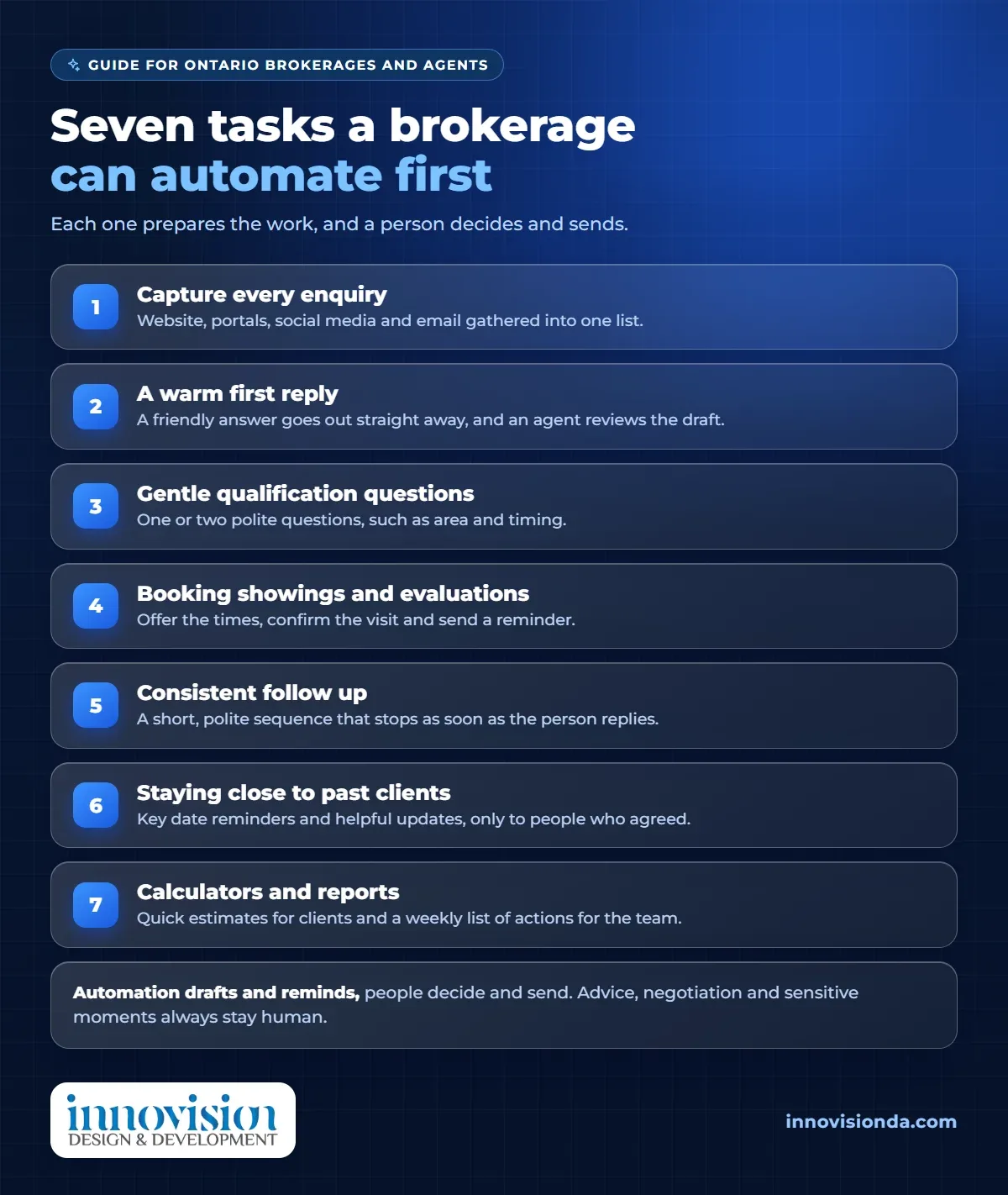
You do not need to automate everything. Here are seven tasks where AI automation for real estate often helps most, in an order many brokerages find useful. Each one prepares work for a person, and none replaces the conversation.
1. Capturing every enquiry
Enquiries arrive from many places: your website, listing portals, social media, email and phone messages. Automation collects them into one list, with a note of where each came from, so none is lost in an inbox. A lead that is never captured can never be answered, which is why AI automation for real estate so often starts here.
2. A warm first reply
When someone writes, they receive a friendly answer straight away that thanks them and says when a person will be in touch. The agent can review the draft first, and the tone should always sound like your brokerage.
3. Gentle qualification questions
One or two polite questions, such as the area and the timing, help your agent prepare for the first call. Keep them light. A person who feels questioned will leave, and a person who feels welcomed will answer.
4. Booking showings and evaluations
Booking can take many messages. Automation can offer the times an agent has set, confirm the visit and send a reminder before it, which saves back and forth and helps people turn up.
5. Consistent follow up
Many leads are not ready today but will be later. A short, polite sequence can check in over time and stop the moment the person replies, so nobody who is already talking to you receives another note.
6. Staying close to past clients
Past clients refer friends and return when they move again. Reminders for key dates and helpful updates, sent only to people who have agreed to hear from you, keep the relationship warm without effort.
7. Calculators and reports
Simple calculators, such as a mortgage or commission estimate, give clients quick numbers to talk about, and a weekly report tells your team which leads are waiting, which follow ups are due and which clients have gone quiet. It turns a pile of messages into a short list of actions.
What must stay human
Good AI automation for real estate is careful about what it leaves alone. These parts belong to people, always.
- Advice and negotiation. Pricing opinions, offers and strategy need your judgment and your licence.
- Sensitive moments. A client who is upset, grieving or in a hurry should hear from a person quickly.
- Facts and listings. Check every detail before it is published, because accuracy is your responsibility.
- The decision to send. Read what goes out, especially at the start, and fix anything that sounds wrong.
That is the principle again: automation drafts and reminds, people decide and send.
CASL and privacy in plain words
Two sets of rules matter whenever AI automation for real estate contacts people. This is general information, not legal advice, so please ask a professional about your own situation.
- Messages need consent. Canada has rules for commercial email and text messages, often called CASL. In general, they cover who you may contact, who must be named as the sender and how people can opt out. You can start with the Government of Canada anti spam legislation site.
- Personal information needs care. Share only what a task needs, keep client details in tools you trust, ask where a tool stores information and be honest about how you use it.
Real estate also has its own professional rules for advertising and conduct, so check with your brokerage and regulator before anything is sent in your name.
A real example: Capital Wealth Realty
Capital Wealth Realty is a residential real estate brokerage in Ontario. The team needed one branded system to run the whole sales pipeline and to market to clients directly, without juggling separate tools. We built a custom CRM designed around how the brokerage sells, from first lead to closed deal.
It includes a bulk email campaign engine for reaching clients by segment, with personalisation and automatic unsubscribe handling, and mortgage and commission calculators with HST. A Meta Ads AI integration is in development, and it is not part of what is live today. The system runs on its own domain. You can read the facts in the Capital Wealth Realty case study.
Every brokerage is different, so we do not promise the same experience elsewhere. The lesson is that AI automation for real estate works best when it is shaped around how your own team sells. If you want to see what that could look like, our page on a custom CRM for real estate brokerages explains it, and our guide to AI CRM for small business in Canada covers why one home for your records comes first.
How to start in four steps
These four steps suit any team that is new to AI automation for real estate, from a single agent to a whole brokerage.
- Choose one task. Start with capturing every enquiry or the first reply. Pick the one that costs your team the most time.
- Write your answers once. Gather your hours, areas, services and common questions in your own words, so every message sounds like your brokerage.
- Test it yourself. Send a test enquiry, read the draft and adjust it before any client sees it.
- Add the next task. When the first one is steady, add booking, follow up or reports, one at a time.
Where to go next
A small first step into AI automation for real estate can give your agents back time every week. If you would like a partner, AI automation from our team connects your website, inbox and records so details are entered once. Request a free growth plan, tell us how your brokerage works today and we will suggest practical first steps, with no pressure and no promises we cannot keep.
Frequently asked questions
What is AI automation for real estate?
It means using AI and connected software to handle repeat work in a brokerage, such as capturing enquiries, drafting first replies, booking showings, sending reminders and preparing reports. A person decides and sends.
Will AI replace real estate agents?
No. It prepares the routine work so agents have more time for advice, negotiation and relationships, which are the parts clients value most.
Which task should a brokerage automate first?
Start with capturing every enquiry or the first reply. Both help every day and are easy to check before you add more.
Do I need a CRM first?
A CRM helps a great deal, because one home for your records makes every other step easier. You can still begin with one simple task using the tools you already have.
Are there rules about emails and texts to clients?
Yes. Canada has rules for commercial email and text messages, called CASL, and privacy rules for personal information. This is general information, so please ask a professional about your own situation.
Is the Meta Ads AI integration for Capital Wealth Realty live?
No. It is in development, and it is not part of what is live today.